The Complete Guide to Setting Up OpenCode & Plugins
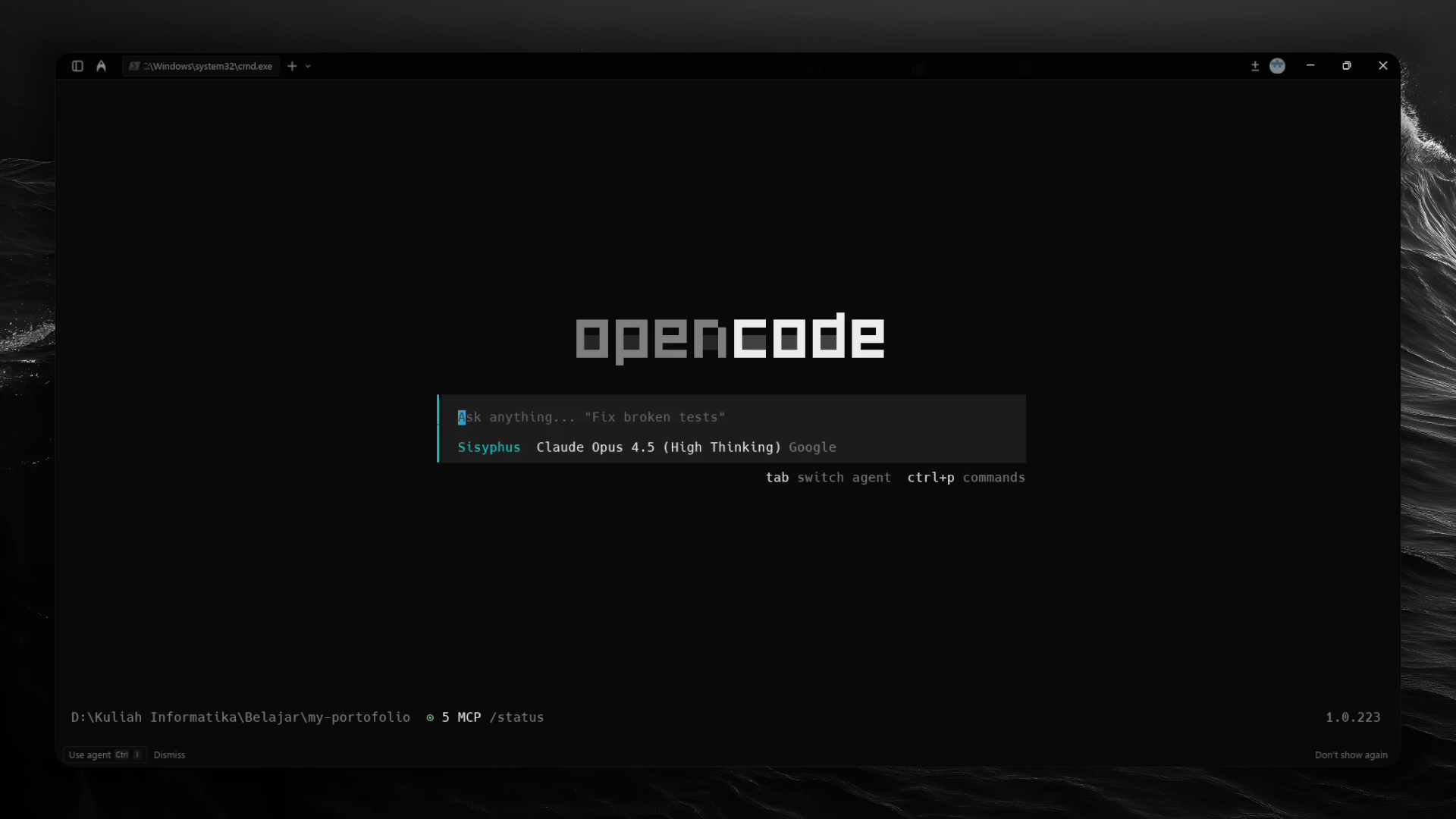
As a Computer Scientist and Fullstack Developer, efficiency isn't just a preference it's a requirement. In the rapidly evolving AI era, relying on a generic chat interface isn't enough. We need an ecosystem that integrates directly into our terminal, understands our database schema, and enforces a strict engineering workflow.
Today, I'm sharing my personal development environment. This isn't a standard setup; it is a curated combination of OpenCode, custom plugins, MCP (Model Context Protocol) integrations, and a disciplined workflow protocol designed to build production-ready applications.
1. The Foundation: Warp Terminal
Before we touch the AI, we need a modern terminal. My choice is Warp Terminal.
Why Warp?
Standard terminals treat output as a stream of text. Warp treats them as blocks of data. It features AI command search, collaborative workflows, and is built on Rust for blazing speed. It's the perfect launchpad for the heavy lifting we are about to do.
2. The Engine: OpenCode
My daily driver for AI coding assistance is OpenCode.
Unlike closed ecosystems, OpenCode offers full transparency and control. It allows me to swap LLM backends (Gemini, Claude, OpenAI), manage context windows manually, and most importantly, extend its capabilities through plugins.
3. The Ecosystem: Essential Plugins
The real power of this setup lies in the plugins. Here are the specific tools I use to supercharge OpenCode:
A. Model Integration: opencode-antigravity-auth
Connects OpenCode to Google's powerful Gemini models via Antigravity (Google Cloud).
- Repo:NoeFabris/opencode-antigravity-auth
- Setup:Requires a Google Cloud Project with "Gemini for Google Cloud" API enabled.
B. Context Optimization: opencode-dynamic-context-pruning
Automatically prunes irrelevant tokens to keep the context window efficient and costs low.
- Repo:Opencode-DCP/opencode-dynamic-context-pruning
- Key Feature:I use a custom
dcp.jsoncconfig to enable "discard" and "extract" tools, ensuring the AI only remembers what matters.
C. The Supercharger: oh-my-opencode
Adds custom agents and enhanced capabilities, similar to oh-my-zsh but for AI agents.
- Repo:code-yeongyu/oh-my-opencode
- Installation:
bunx oh-my-opencode install
D. Visual Utility: Markdown Table Formatter
Ensures data tables generated by the AI are readable and supports concealment mode.
E. Type Safety: opencode-type-inject
Automatically injects TypeScript definitions into the file reading process. This makes the AI aware of your specific types and interfaces, significantly reducing hallucinated code.
4. The Connectivity: Model Context Protocol (MCP)
Beyond standard plugins, I utilize MCP to bridge the AI with external tools and data sources seamlessly.
A. Shadcn UI (Local MCP)
I run a local MCP server for Shadcn. This allows the AI to understand my UI component library and execute commands to add components directly.
B. Supabase (Remote MCP)
I connect OpenCode directly to my backend using the Supabase MCP. This gives the AI context about my database schema, allowing it to write accurate SQL queries.
5. The Discipline: Production Workflow Rules
Tools are useless without a process. To ensure I build production-ready applications, I force the AI (and myself) to adhere to a strict set of rules.
Here is the exact Project Workflow Rules prompt I use:
1. Master Plan (todos.md)
- Initiation: If
todos.mddoes not exist, CREATE IT immediately usingPlanner-Sisyphus. - Structure: The file must contain a comprehensive list of tasks from development start to finish.
- Status: Use
[ ]for pending and[x]for completed tasks. - Update: You MUST mark tasks as
[x]immediately after completion.
2. Change Tracking (CHANGELOG.md)
- Initiation: If
CHANGELOG.mddoes not exist, create it. - Format: Use Keep A Changelog format (Unreleased, Added, Changed, Fixed).
- Update: Every time a meaningful task is completed or code behavior is modified, append a bullet point to the
Unreleasedsection.
3. Version Control (Git)
- Commit: Changes must be committed after every logical unit of work.
- Message: Commit messages must be descriptive (e.g.,
feat: implement login page UI). - History: Ensure the git history tells a clear story of the development process.
4. Execution Protocol
- BEFORE starting coding: Check
todos.md. - AFTER coding:
- Run tests/verification.
- Update
CHANGELOG.md. - Mark item in
todos.mdas[x]. - Git add & commit.
6. The Final Configuration
Here is the complete configuration file that ties everything together plugins, MCPs, and the latest Gemini/Claude models.
Location: ~/.config/opencode/opencode.json
{
  "$schema": "https://opencode.ai/config.json",
  "plugin": [
    "file:///C:/Users/YOUR_USER/.config/opencode/opencode-google-antigravity-auth",
    "oh-my-opencode",
    "@tarquinen/opencode-dcp@latest",
    "@nick-vi/opencode-type-inject",
    "@franlol/opencode-md-table-formatter@0.0.3"
  ],
  "tui": {
    "scroll_speed": 3,
    "scroll_acceleration": {
      "enabled": true
    }
  },
  "mcp": {
    "shadcn": {
      "type": "local",
      "command": [
        "npx",
        "-y",
        "shadcn",
        "mcp"
      ],
      "enabled": true
    },
    "supabase": {
      "type": "remote",
      "url": "https://mcp.supabase.com/mcp",
      "enabled": true,
      "headers": {
        "Authorization": "Bearer YOUR_SUPABASE_ACCESS_TOKEN"
      }
    }
  },
  "tools": {
    "read": true,
    "edit": false,
    "write": false,
    "glob": true,
    "list": true,
    "grep": true
  },
  "permission": {
    "edit": "deny",
    "write": "deny",
    "bash": "ask",
    "external_directory": "deny",
    "webfetch": "allow",
    "doom_loop": "deny"
  },
  "provider": {
    "google": {
      "npm": "@ai-sdk/google",
      "models": {
        "gemini-3-pro-preview": {
          "id": "gemini-3-pro-preview",
          "name": "Gemini 3 Pro Preview",
          "thinking": true,
          "limit": {
            "context": 1000000,
            "output": 64000
          },
          "modalities": {
            "input": [
              "text",
              "image",
              "video",
              "audio",
              "pdf"
            ],
            "output": [
              "text"
            ]
          }
        },
        "gemini-3-pro-high": {
          "id": "gemini-3-pro-preview",
          "name": "Gemini 3 Pro High",
          "thinking": true,
          "limit": {
            "context": 1000000,
            "output": 64000
          },
          "modalities": {
            "input": [
              "text",
              "image",
              "video",
              "audio",
              "pdf"
            ],
            "output": [
              "text"
            ]
          },
          "options": {
            "thinkingConfig": {
              "thinkingLevel": "high",
              "includeThoughts": true
            }
          }
        },
        "gemini-3-flash": {
          "id": "gemini-3-flash",
          "name": "Gemini 3 Flash",
          "limit": {
            "context": 1048576,
            "output": 65536
          },
          "modalities": {
            "input": [
              "text",
              "image",
              "video",
              "audio",
              "pdf"
            ],
            "output": [
              "text"
            ]
          }
        },
        "claude-opus-4.5-high": {
          "id": "gemini-claude-opus-4-5-thinking",
          "name": "Claude Opus 4.5 (High Thinking)",
          "thinking": true,
          "limit": {
            "context": 200000,
            "output": 64000
          },
          "modalities": {
            "input": [
              "text",
              "image",
              "pdf"
            ],
            "output": [
              "text"
            ]
          },
          "options": {
            "thinkingConfig": {
              "thinkingBudget": 32000,
              "includeThoughts": true
            }
          }
        },
        "claude-sonnet-4.5-high": {
          "id": "gemini-claude-sonnet-4-5-thinking",
          "name": "Claude Sonnet 4.5 (High Thinking)",
          "thinking": true,
          "limit": {
            "context": 200000,
            "output": 64000
          },
          "modalities": {
            "input": [
              "text",
              "image",
              "pdf"
            ],
            "output": [
              "text"
            ]
          },
          "options": {
            "thinkingConfig": {
              "thinkingBudget": 32000,
              "includeThoughts": true
            }
          }
        },
        "claude-sonnet-4.5-medium": {
          "id": "gemini-claude-sonnet-4-5-thinking",
          "name": "Claude Sonnet 4.5 (Medium Thinking)",
          "thinking": true,
          "limit": {
            "context": 200000,
            "output": 64000
          },
          "modalities": {
            "input": [
              "text",
              "image",
              "pdf"
            ],
            "output": [
              "text"
            ]
          },
          "options": {
            "thinkingConfig": {
              "thinkingBudget": 16000,
              "includeThoughts": true
            }
          }
        }
      }
    }
  }
}YOUR_USER and YOUR_SUPABASE_ACCESS_TOKEN with your actual system username and API keys.Conclusion
This setup provides the perfect balance between automation and engineering rigor. By combining Warp, OpenCode, specialized plugins, and a strict workflow protocol, I can leverage the speed of AI without sacrificing the quality or maintainability of the code.
Happy Coding!